HotAvalonia 3.1.5
Prefix Reserveddotnet add package HotAvalonia --version 3.1.5
NuGet\Install-Package HotAvalonia -Version 3.1.5
<PackageReference Include="HotAvalonia" Version="3.1.5" />
<PackageVersion Include="HotAvalonia" Version="3.1.5" />
<PackageReference Include="HotAvalonia" />
paket add HotAvalonia --version 3.1.5
#r "nuget: HotAvalonia, 3.1.5"
#:package HotAvalonia@3.1.5
#addin nuget:?package=HotAvalonia&version=3.1.5
#tool nuget:?package=HotAvalonia&version=3.1.5
HotAvalonia



<img alt="HotAvalonia Icon" src="https://raw.githubusercontent.com/Kira-NT/HotAvalonia/HEAD/media/icon.png" width="128">
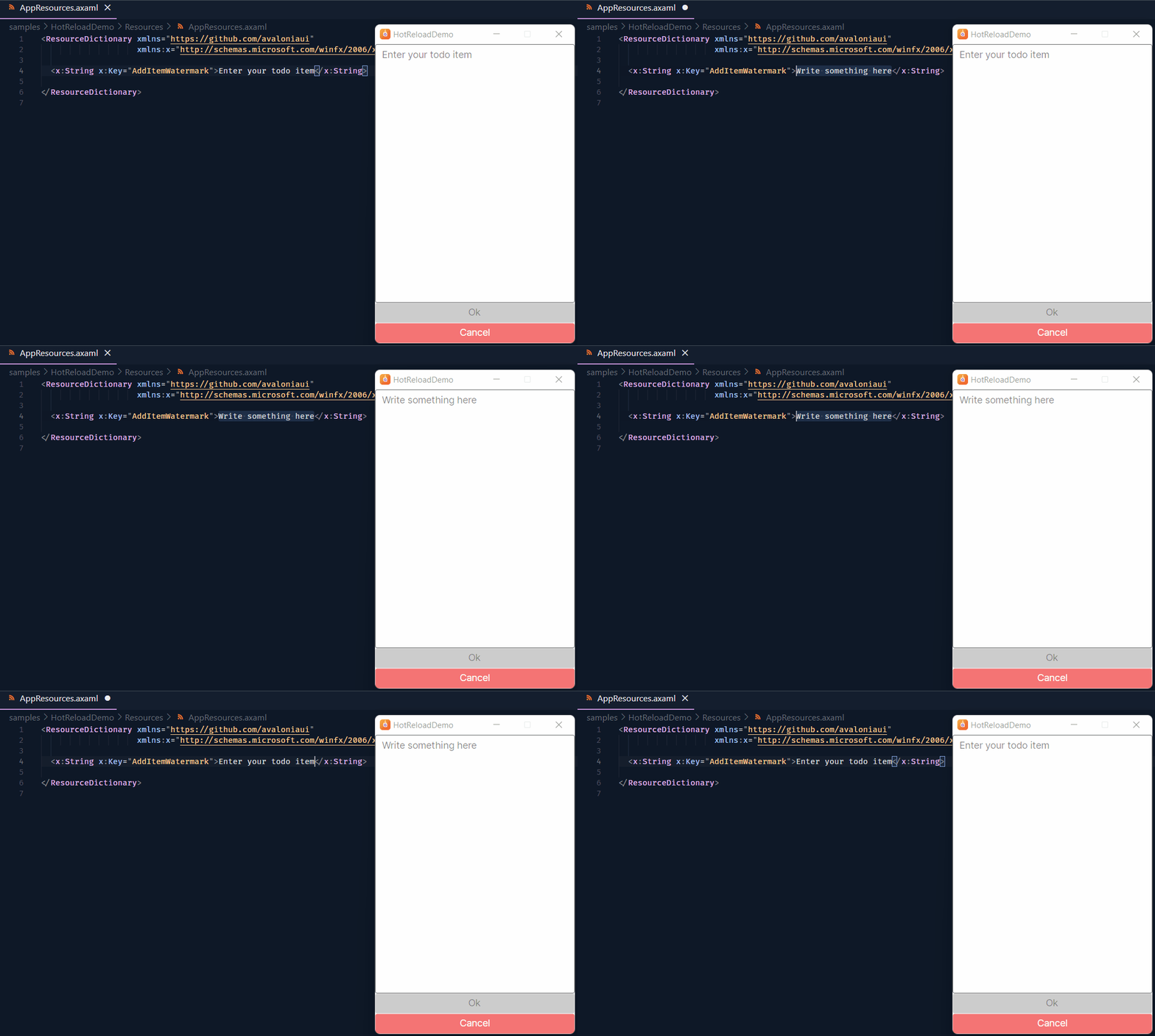
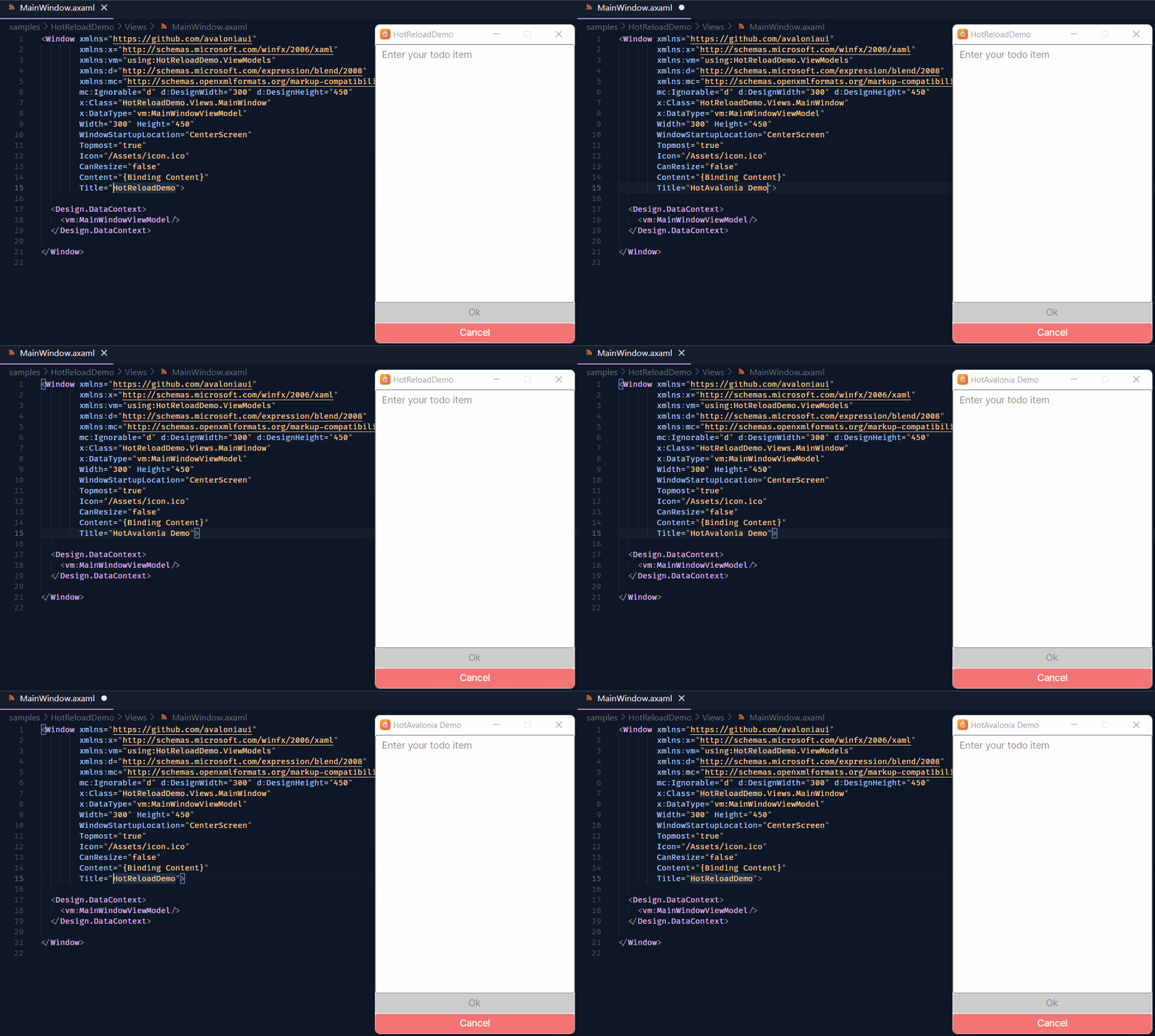
HotAvalonia is an IDE-agnostic hot reload plugin for Avalonia that lets you see UI changes in real time as you edit XAML files, drastically accelerating your design and development workflow. Supports Linux, macOS, Windows, and Android.
Installation
Add the following package references to your project file (e.g., .csproj, .fsproj, .vbproj):
<PackageReference Include="Avalonia.Markup.Xaml.Loader" Version="$(AvaloniaVersion)" PrivateAssets="All" Publish="True" />
<PackageReference Include="HotAvalonia" Version="3.*" PrivateAssets="All" Publish="True" />
That's it. Simply start debugging your app as you normally would, make changes to some XAML files, and see them being applied in real time. Enjoy!
If you have a multi-project setup, HotAvalonia must be installed into your startup project (the one that produces the final executable). It is also highly recommended to install it in every project that contains Avalonia controls to ensure the most stable hot reload experience possible.
HotAvalonia is a development-only dependency, meaning it doesn't affect your Release builds in any way, shape, or form, and its binaries are not shipped with your application.
Optional Dependencies
HotAvalonia has two optional dependencies:
Avalonia.Markup.Xaml.Loader- The official Avalonia package responsible for runtime XAML parsing. To accommodate users of all Avalonia releases starting from v11.0.0, HotAvalonia ships with a pretty old version of this library. This can cause issues if you are experimenting with nightly builds of the next major Avalonia release, in which case you may need to manually bump the dependency:<PackageReference Include="Avalonia.Markup.Xaml.Loader" Version="$(AvaloniaVersion)" PrivateAssets="All" />MonoMod.RuntimeDetour- If you want to be able to hot reload embedded assets such as icons and images, HotAvalonia needs a way to perform method injections into optimized code, and this is what this library is for. Without it, hot reload support is limited to XAML files only.<PackageReference Include="MonoMod.RuntimeDetour" Version="*" PrivateAssets="All" />
If you have a multi-project setup, these packages only need to be referenced from your startup project.
MSBuild Properties
HotAvalonia is highly configurable, and many of its features can be adjusted via MSBuild properties directly in your project file.
Below is a non-exhaustive list of the most common and useful properties:
<PropertyGroup>


  <HotAvalonia>$(IsDebug)</HotAvalonia>


  <HotAvaloniaMode>Balanced</HotAvaloniaMode>


  <HotAvaloniaHotkey>Alt+F5</HotAvaloniaHotkey>


  <HotAvaloniaTimeout>10000</HotAvaloniaTimeout>


  <HotAvaloniaAutoEnable>$(IsExe)</HotAvaloniaAutoEnable>


  <HotAvaloniaRemote>$(IsNotDesktop)</HotAvaloniaRemote>


  <HotAvaloniaInjections>enable</HotAvaloniaInjections>


  <HotAvaloniaInitialPatching>enable</HotAvaloniaInitialPatching>
</PropertyGroup>
Additionally, when <HotAvaloniaRemote> is true (which is usually the case if you are developing for a non-desktop platform such as Android, iOS, or the browser), you may want to configure the remote file system component known as HARFS - for example, if you want to run your own server instead of relying on HotAvalonia to start one automatically.
<PropertyGroup>


  <HarfsAddress>$(CurrentLocalIpAddress)</HarfsAddress>


  <HarfsPort>0</HarfsPort>


  <HarfsSecret>$(RandomlyGeneratedSecret)</HarfsSecret>


  <HarfsCertificateFile>$(RandomlyGeneratedSelfSignedCertificate)</HarfsCertificateFile>


  <HarfsTimeout>300000</HarfsTimeout>


  <HarfsExitOnDisconnect>true</HarfsExitOnDisconnect>
</PropertyGroup>
As mentioned earlier, this list is far from exhaustive. For a complete overview of all available options, please refer to the HotAvalonia.targets file.
Advanced Features
HotAvalonia.Core and HotAvalonia.Extensions, shipped with the main HotAvalonia package, provide quite a few niche features of their own that can be fine-tuned to your liking. So, if you are interested in learning more about their internals, please refer to their respective READMEs. There are, however, some features I would like to highlight here as well.
InitializeComponentState & [AvaloniaHotReload]
Hot reloading a control with complex initialization logic may leave it in an awkward state because its constructor is not actually being re-run. As a result, if you capture layout-dependent state in fields, for example, those fields may contain stale values after a hot reload event.
To address this, you can move layout-sensitive initialization logic into a parameterless instance method named InitializeComponentState, which HotAvalonia will automatically re-run on a hot reload event.
If you prefer a different method name or want to re-run more than one method, you can apply the special [AvaloniaHotReload] attribute to any number of parameterless instance methods on your control, and all such methods will be invoked when a hot reload event occurs.
  using Avalonia.Controls;
+ using HotAvalonia;

  public partial class FooControl : UserControl
  {
      public FooControl()
      {
          InitializeComponent();
          InitializeComponentState();
      }

      // If a method is named "InitializeComponentState", you do not
      // strictly need to apply an attribute to it, as it will be
      // picked up by HotAvalonia automatically.
+     [AvaloniaHotReload]
      private void InitializeComponentState()
      {
          // Code to initialize or refresh
          // the control during hot reload.
      }
  }
FAQ
Is this an official Avalonia project?
No, this project is not affiliated with Avalonia.
This is a one-girl-army effort to improve the framework's DX by providing the community with a free and open-source hot reload solution. The Avalonia team has repeatedly stated that they are not currently interested in spending their limited resources on implementing something this complex, and even if they ever do come around to it, it is planned to be a closed-source, paid feature for participants in the Accelerate program.
<br/>
Which platforms does HotAvalonia support?
As stated at the top of the README, HotAvalonia officially supports Linux, macOS, Windows, and Android. That means if you have any problems on any of those platforms, feel free to open an issue!
Hot reload may also work on other platforms, such as FreeBSD and iOS; however, I haven't had a chance to test them, and I won't spend much time fixing issues on those platforms if they do arise.
<br/>
What about browser support?
HotAvalonia doesn't support hot reload in the browser yet.
<br/>
Does it support Visual Studio / Visual Studio Code / Rider / Vim / NeoVim / Sublime / Notepad / Yet another "revolutionary" fork of VS Code with "AI" slop built into it / Whatever else?
Yes.
<br/>
It doesn't seem to work with Visual Studio Code Dev Containers on Windows.
As discussed in #44, when you mount parts of the Windows filesystem into a Linux Docker container, the original filesystem events are not translated into inotify events. As a result, HotAvalonia cannot detect that a change has occurred.
To mitigate this problem, you need to move your project into the WSL2 filesystem, which is capable of raising filesystem events.
<br/>
Do you accept donations?
Oh, thank you for asking! :3
Unfortunately, no, I don't have any way to accept donations at the moment, but that might change in the future.
Examples
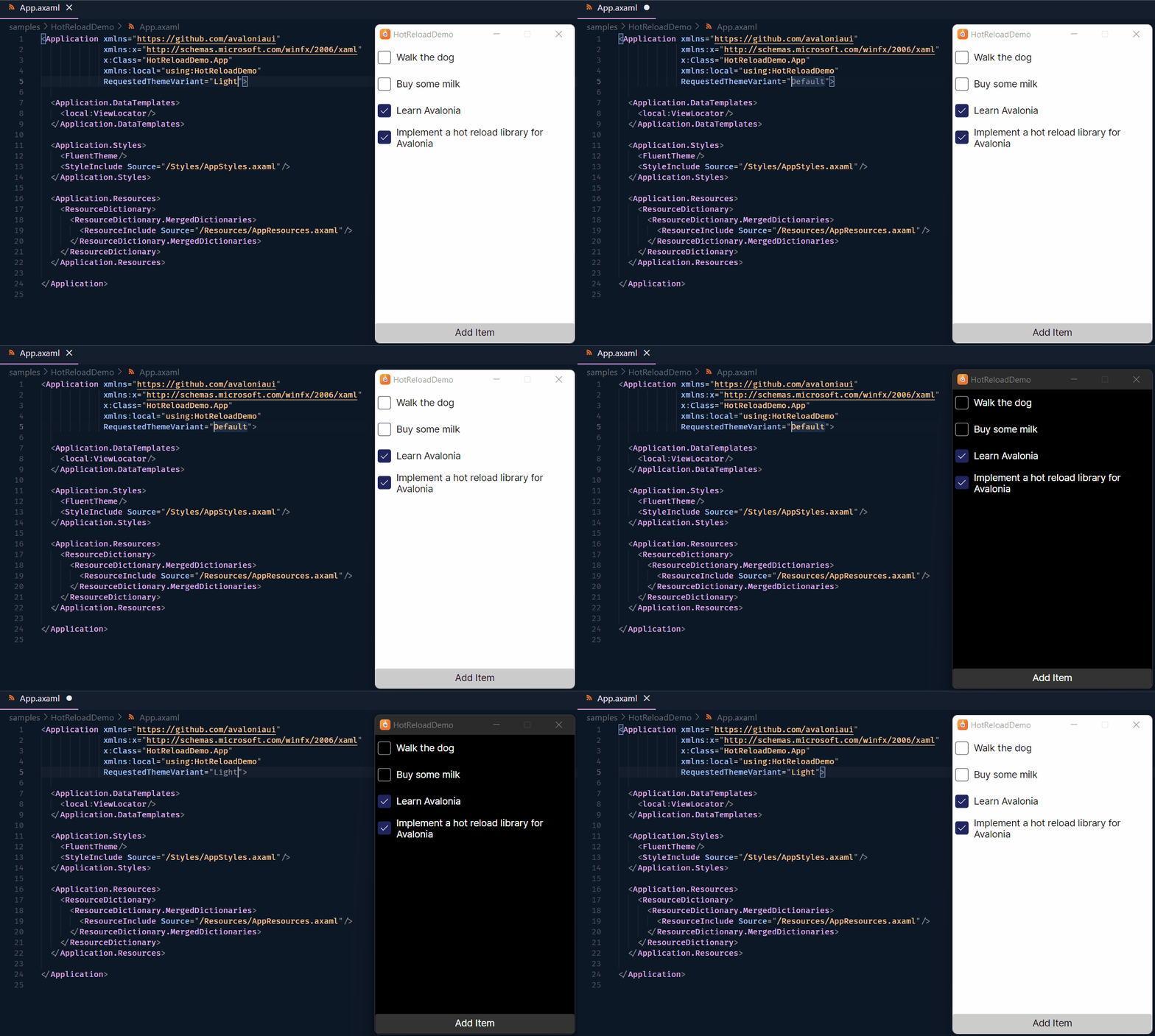 |
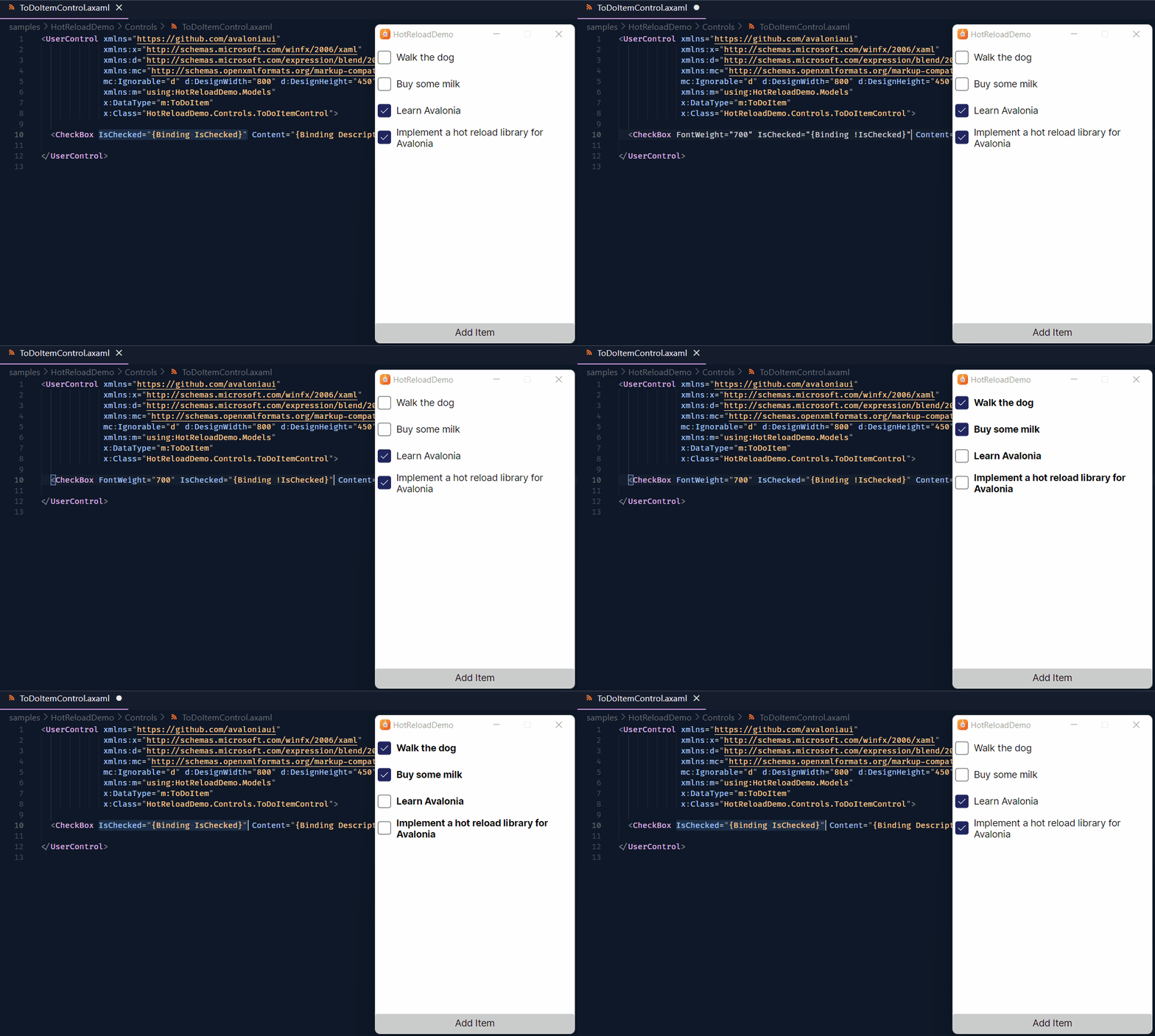 |
|---|---|
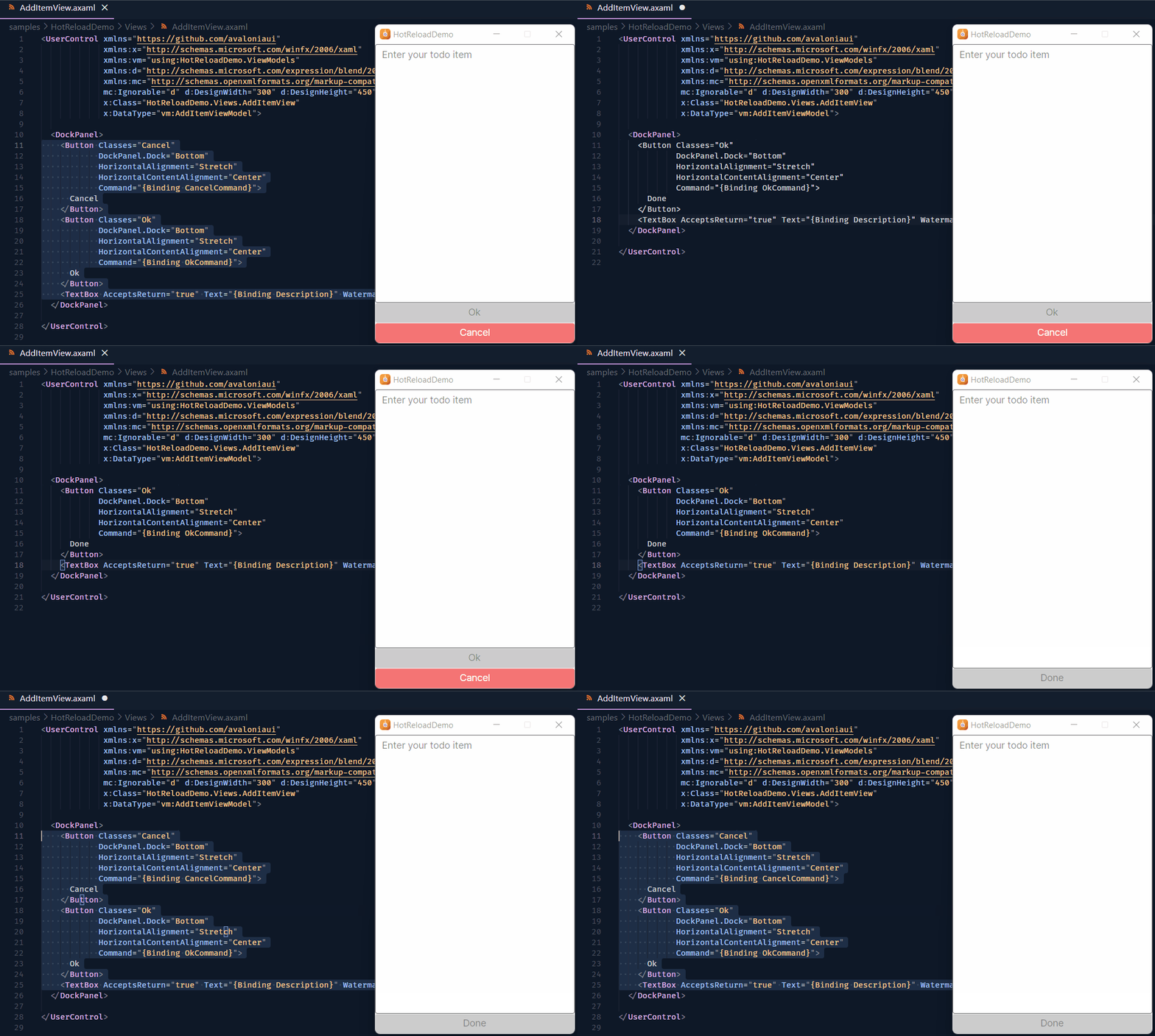 |
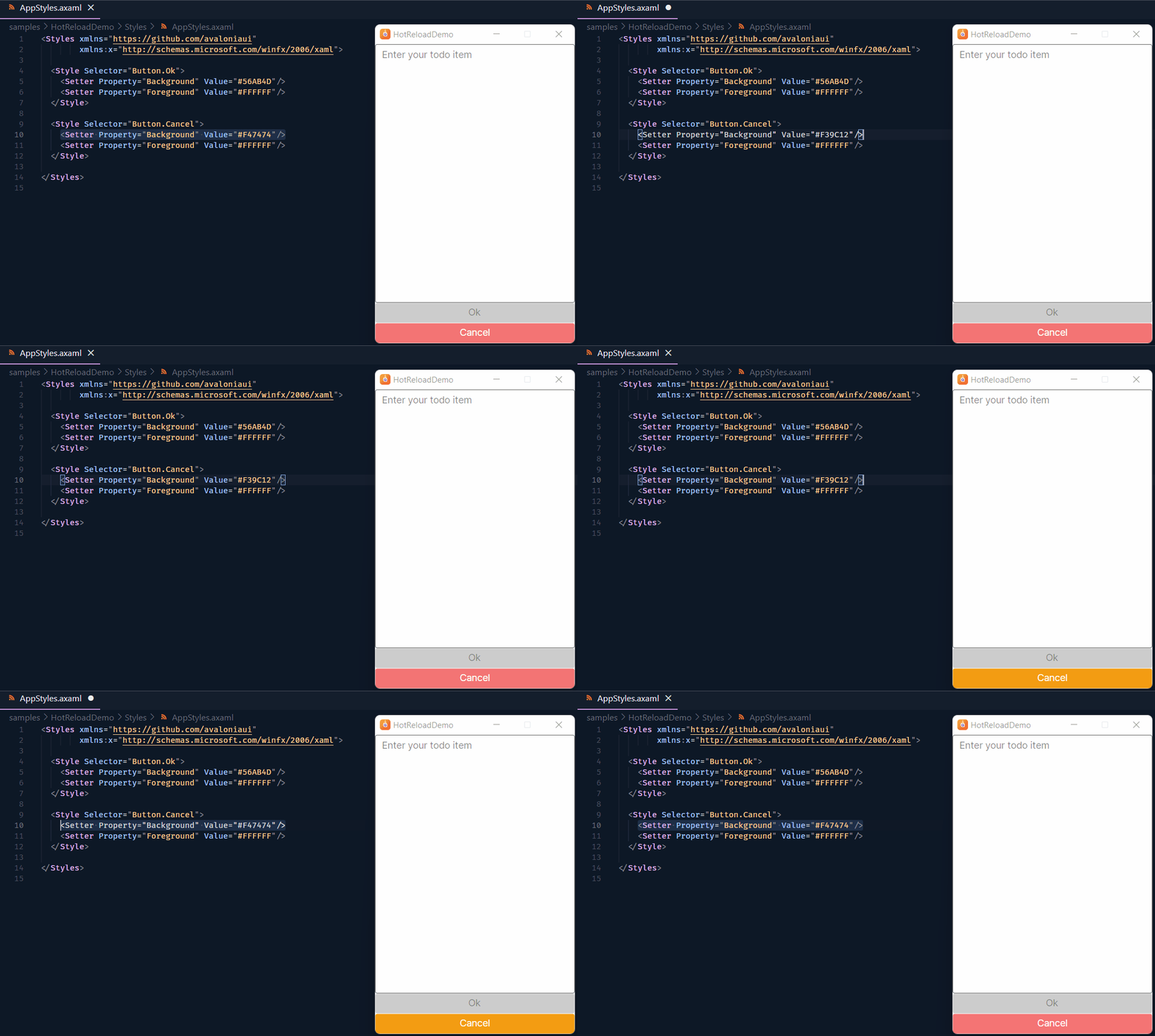 |
 |
 |
License
Licensed under the terms of the MIT License.
Learn more about Target Frameworks and .NET Standard.
-
.NETStandard 2.0
- Avalonia.Markup.Xaml.Loader (>= 11.0.0)
- HotAvalonia.Core (>= 3.1.5)
- HotAvalonia.Extensions (>= 3.1.5)
- HotAvalonia.Fody (>= 3.1.5)
NuGet packages
This package is not used by any NuGet packages.
GitHub repositories (9)
Showing the top 9 popular GitHub repositories that depend on HotAvalonia:
| Repository | Stars |
|---|---|
|
ClassIsland/ClassIsland
一款功能强、可定制、跨平台,适用于班级多媒体屏幕的课表信息显示工具,可以一目了然地显示各种信息。
|
|
|
Taiizor/Sucrose
Sucrose is a versatile wallpaper engine that brings life to your desktop with a wide range of interactive wallpapers.
|
|
|
Artemis-RGB/Artemis
Provides advanced unified lighting across many different brands RGB peripherals
|
|
|
Kindness-Kismet/stelliberty
Stelliberty Remake: A high-performance, visually appealing, and modern cross-platform network client.
|
|
|
LANCommander/LANCommander
|
|
|
bitbound/ControlR
Open-source, self-hostable remote control and remote access.
|
|
|
tiouoo/Aurelio
|
|
|
f-shake/ArchiveMaster
一套协助用户对文件进行处理、管理、备份、同步的工具集;A toolkit designed to assist users in processing, managing, backing up, and synchronizing files.
|
|
|
NeilMacMullen/kusto-loco
C# KQL query engine with flexible I/O layers and visualization
|
| Version | Downloads | Last Updated |
|---|---|---|
| 3.1.5 | 8,916 | 9/11/2026 |
| 3.1.4 | 31,875 | 7/18/2026 |
| 3.1.3 | 12,603 | 6/27/2026 |
| 3.1.2 | 297 | 6/26/2026 |
| 3.1.1 | 7,162 | 5/30/2026 |
| 3.1.0 | 43,323 | 2/2/2026 |
| 3.0.2 | 23,763 | 12/12/2025 |
| 3.0.1 | 3,108 | 12/3/2025 |
| 3.0.0 | 36,668 | 3/23/2025 |
| 2.1.0 | 20,134 | 12/19/2024 |
| 2.0.2 | 904 | 12/10/2024 |
| 2.0.1 | 386 | 12/6/2024 |
| 2.0.0 | 436 | 11/30/2024 |
| 1.1.1 | 8,837 | 5/5/2024 |
| 1.1.0 | 507 | 4/20/2024 |
| 1.0.1 | 2,294 | 11/3/2023 |
| 1.0.0 | 797 | 9/28/2023 |